A scene that fits
Pair Spotify with the Rainbow Bars scene.
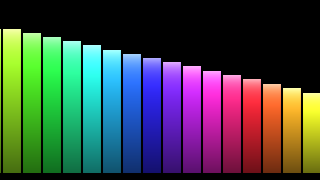
Phosphor ships with 149 hand-tuned scenes. Rainbow Bars is the one Spotify users land on most: full-spectrum and unfussy.
Spotify killed its built-in visualizer years ago. Phosphor brings it back, with 149 scenes instead of one. No login, no API limits.
Phosphor reads system audio, not Spotify's API. No client ID, no scope prompt, no developer hoops.
If you can hear it, Phosphor can see it. Free, Premium, podcasts, even Spotify's web player in Safari.
Play, pause, and skip Spotify from the transport buttons in Phosphor, or from the same controls in the menu bar.
Turn on the status-bar equaliser and you get a live six-bar readout of whatever Spotify is playing, even when the visualizer window is closed.
Browse by category, search by name, and star the ones you keep coming back to so they are one keystroke away.
Cover the window or let the screen sleep and Phosphor stops rendering entirely, then picks up where it left off. Battery: good.
Phosphor ships with 149 hand-tuned scenes. Rainbow Bars is the one Spotify users land on most: full-spectrum and unfussy.
From the Mac App Store. $4.99, one-time.
Native app or open.spotify.com in Safari/Chrome. Either works.
Phosphor will start visualizing automatically. Pick a scene from the menu bar.
No. Phosphor is an independent Mac app. It visualizes the audio playing on your Mac and does not use or require a Spotify account integration.
Yes. Phosphor reacts to Mac system audio, so it can follow Spotify from the desktop app or from any browser.
No. Phosphor never connects to Spotify. It only sees the PCM audio samples flowing to your speakers. Title, artist, and library data are out of scope.
Phosphor includes MP4 recording for visualizations with the audio that drives them. Make sure any sharing follows the rights for the music you use.
macOS 14.4 or later. Apple Silicon. No subscription, ever.
Download on the App Store →